SMS Terms & Consent
Last updated: October 11, 2026
Actium is a product of Somniumporta VR Development Inc., 2912 West Broadway #251, Vancouver, British Columbia, Canada V6K 0E9, which operates this SMS program.
Program Description
Actium SMS lets you talk to your AI assistant by text message — the same way you can connect Telegram or Discord to your account. Once you link a phone number, you can text Actium to create tasks, ask questions, get reminders, and receive replies from your assistant. People added to a shared project by phone number can also follow that project by text once they opt in themselves. This is a conversational messaging program; it is not used to send marketing or promotional messages.
How to Opt In
There are two ways to opt in, and in both you send the first text yourself. Apart from the one-time verification code you request yourself, Actium never texts a number until its owner has texted Actium from it. SMS is optional; Actium works fully without it.
From the Actium app
Before you start, your account needs a verified phone number. The app asks for it at sign-up, or you can add it any time: tap your name at the top of the menu to open Account details, then Phone number. Actium texts a one-time code to the number so you can confirm it is yours. People outside the US and Canada can skip this and use Actium without texting. Verifying your number only confirms it is yours; it is not consent to receive texts. You opt in separately, in the steps below.
- In Account details, on the Phone number row, tap Connect. The form shows your verified number, read-only and partly hidden (for example
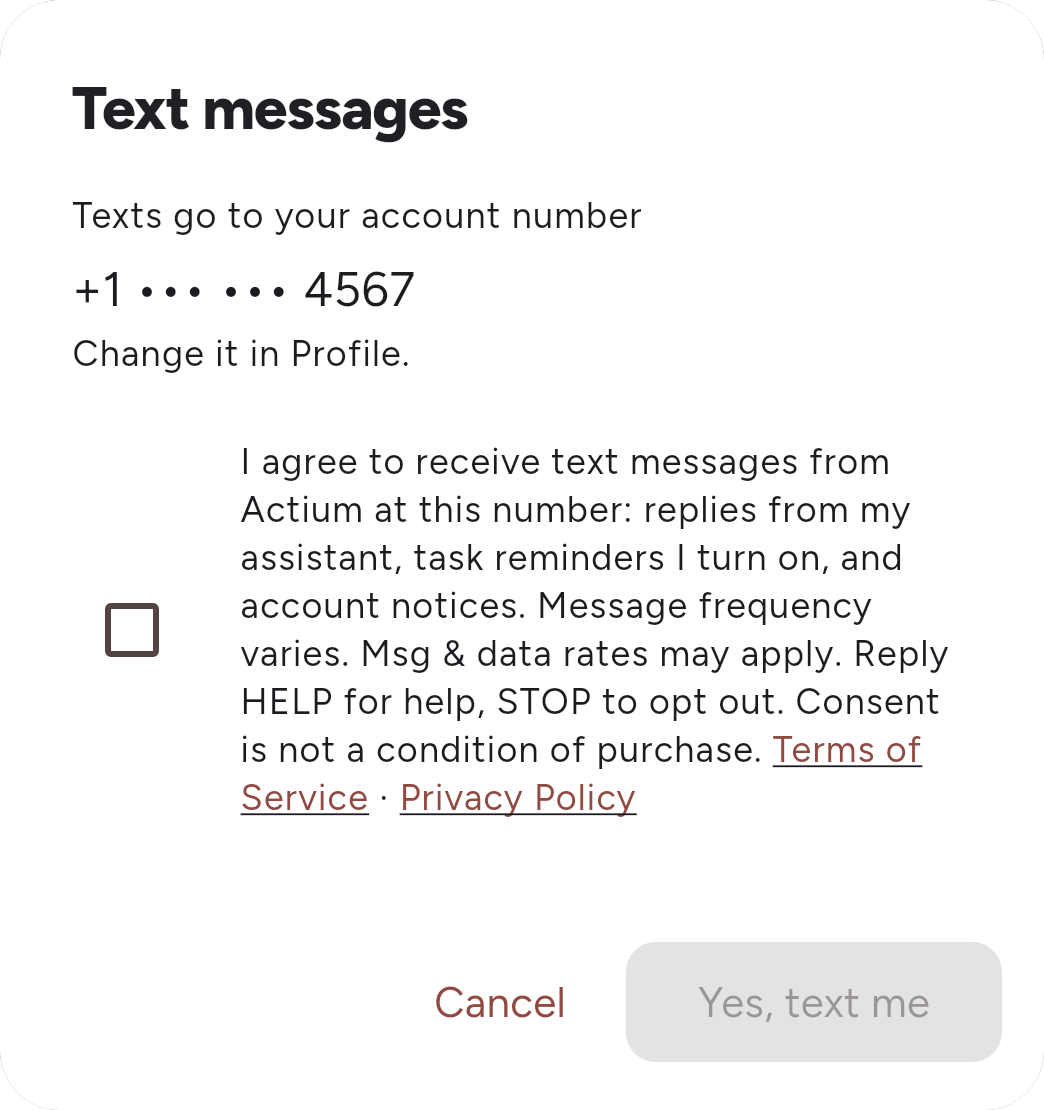
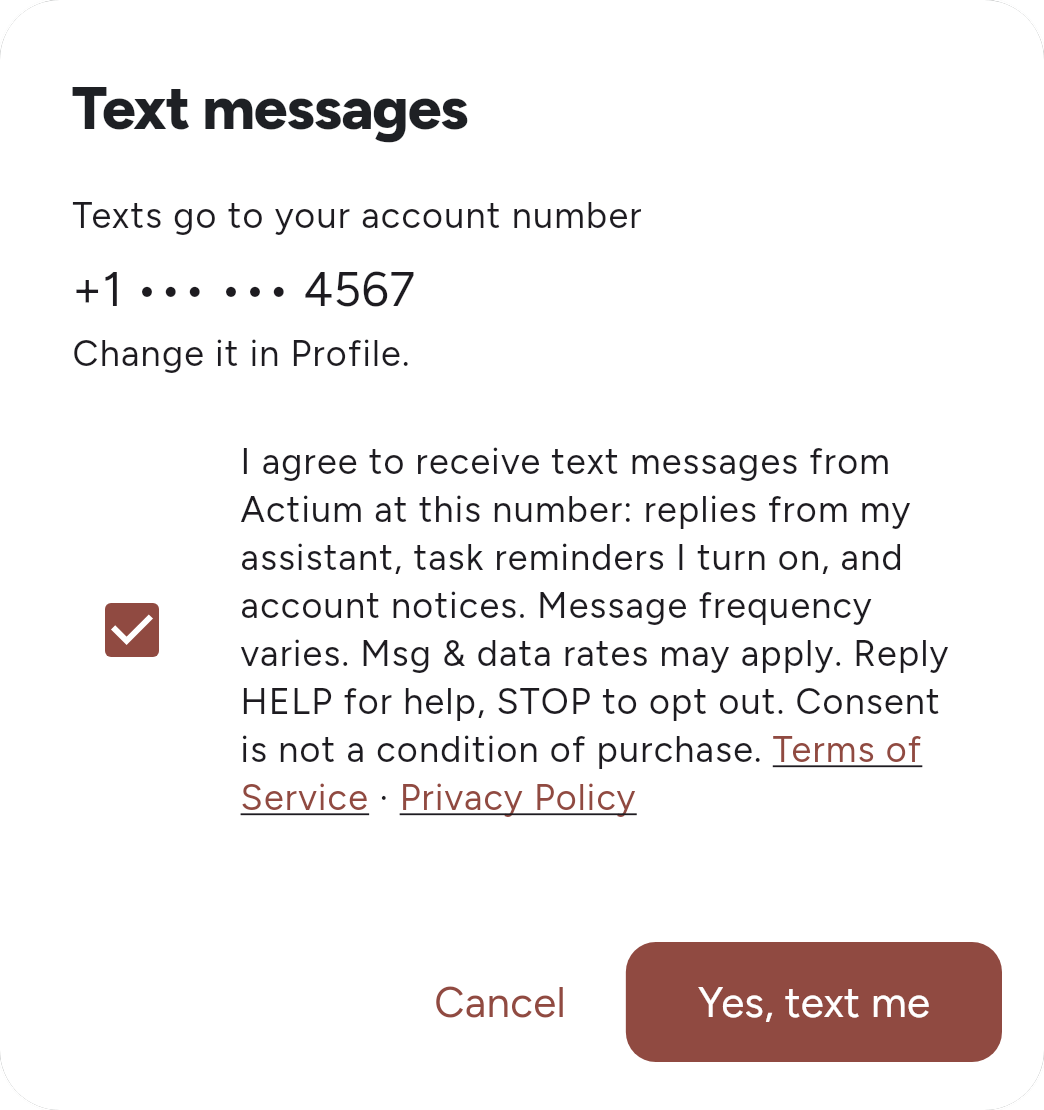
+1 ••• ••• 4567), with the note “Texts go to your account number” and “Change it in Profile” (the Phone number row in Account details). You do not type a number here. If you have not verified one yet, the row shows Add instead of Connect and takes you to the verification step first. - Below the number is the consent notice shown here. The box is unchecked by default, and the Yes, text me button stays disabled until you check it yourself.
- Tap Yes, text me. Your messaging app opens with the Actium number and a one-time code already typed (
linkfollowed by the code). Send it from your verified account number. The code works once, for 10 minutes, and only from that number. On a computer, the app shows the same message for you to send from your phone instead. If you change or remove the account number later, texting to the old number is disconnected. - Actium replies with the enrollment confirmation shown below.
Actium — Account details → Phone number → Connect
Text messages
Texts go to your account number
+1 ••• ••• 4567
Change it in Profile.
A preview of the opt-in form in the Actium app. The box starts unchecked, and the button stays disabled until you check it.
When someone adds you to a shared project
A project member can add you to a shared project by your phone number. Actium does not text you when that happens. Instead, the person who added you is given a message to send you themselves, from their own phone:
"I added you to "[project name]" on Actium. To get updates by text, send JOIN [code] to [the Actium number]. Reply STOP anytime."
You opt in by texting JOIN and the code to the Actium number from the phone number you were added with. The code only works from that number. Until you do, Actium sends nothing to your number (apart from a verification code you request yourself), and if you never reply, it never will.
Message Frequency
Message frequency varies based on your usage — you will generally receive one reply for each message you send to your assistant. If you turn on reminders by text (in the app: menu → Settings → Notification settings → Text messages), you will also receive a reminder when a task you set is due. If you joined a shared project by text, you will receive messages about that project's tasks. You may occasionally receive account-related messages, such as enrollment confirmation or changes to this program.
Message and Data Rates
Message and data rates may apply, depending on your mobile carrier and plan.
Getting Help
Reply HELP to any message at any time for assistance, or contact us at support@actium.app. HELP is answered even after you opt out:
"Actium: your AI task assistant by text. For help, email support@actium.app or visit theactium.com/sms-terms. Msg&data rates may apply. Reply STOP to opt out."
Opting Out
Reply STOP to any message at any time to cancel (STOPALL, UNSUBSCRIBE, CANCEL, END and QUIT work too). After you send STOP, we will send one final confirmation message and you will receive no further SMS messages from Actium unless you opt back in:
"Actium: You're opted out and will get no more texts from Actium. Reply START to opt back in."
Reply START to opt back in. You will get one confirmation:
"Actium: You're opted in to texts from Actium again. Msg frequency varies. Msg&data rates may apply. Reply HELP for help, STOP to opt out."
If the number is linked to an Actium account, both confirmations add that reminders by text stay off after you opt back in, until you also switch Text messages back on in the app. To detach the number from your account, reply UNLINK, or tap Disconnect on the Phone number row in Account details (it appears once the number is linked).
Confirmation of Enrollment
Immediately after you opt in, you will receive a one-time confirmation message. When you link your number from the app, it names the account the number is now linked to:
"Actium: this number is now linked to your account [your name]. Msg frequency varies. Msg&data rates may apply. Reply HELP for help, STOP to opt out, UNLINK if this wasn't you."
When you join a shared project by texting JOIN and its code:
"Actium: You're in. Tell me what you're working on and I'll track it. Msg frequency varies. Msg&data rates may apply. Reply HELP for help, STOP to opt out."
Carriers
Carriers are not liable for delayed or undelivered messages. Supported carriers may change without notice.
Related Policies
This program is governed by our Terms of Service and Privacy Policy, which describe how we handle the content of your messages.
Contact
Questions about this SMS program can be sent to privacy@actium.app.